
Companion
Personal Safety, Control and Smart Assistant Platform
Companion makes personal safety and family coordination easier. With modular apps that work together, it is a smart life assistant that makes everyday life safer, more organized and more under control
About Companion
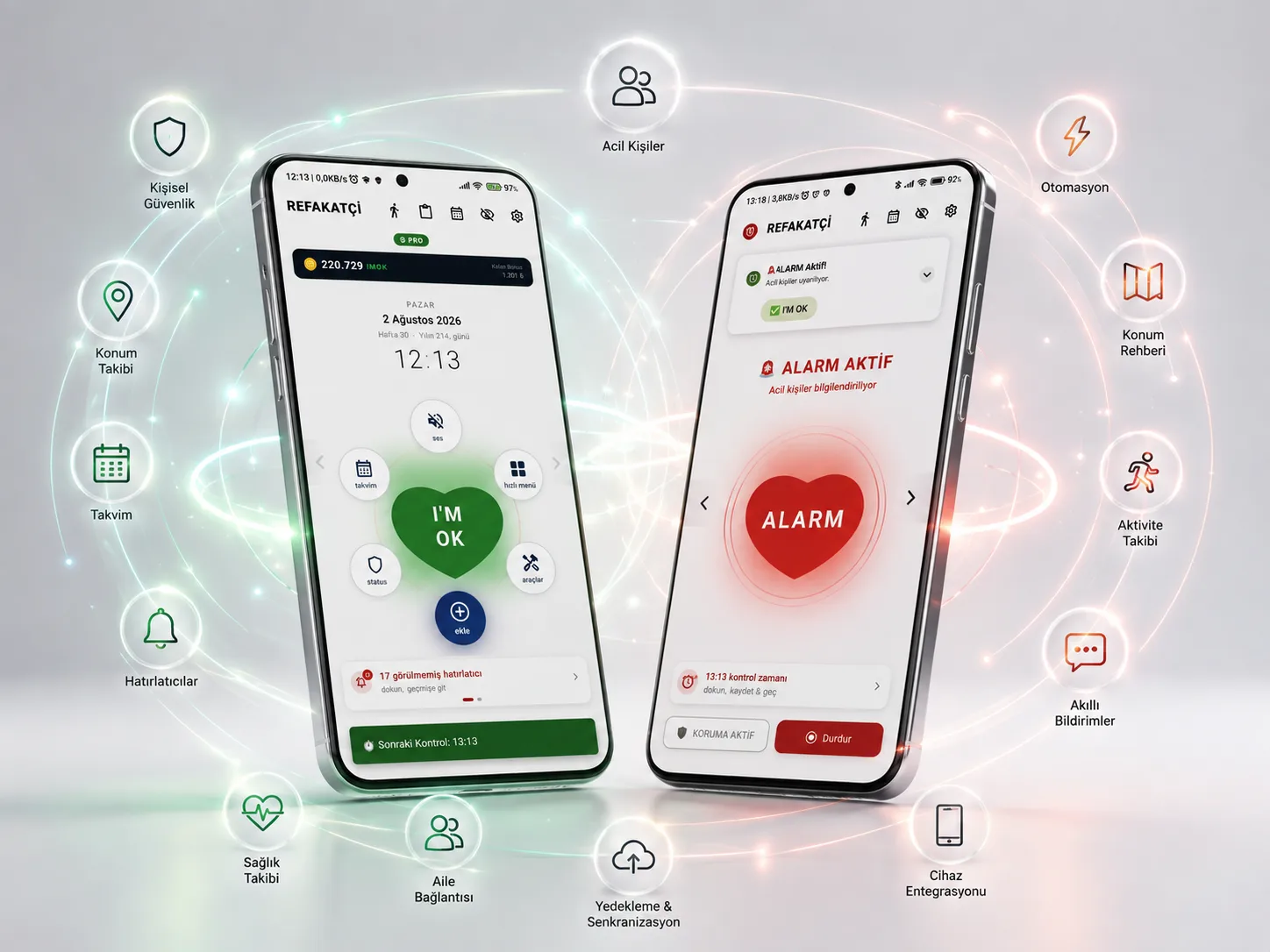
Companion isn't just an app; it is your personal digital companion that protects you, your loved ones and your daily routine. It brings safety, reminders, location, family coordination and daily life management together on one platform, using your phone's existing hardware and the system capabilities Android offers.
Companion is now on Google Play! Our Android app is publicly available on Google Play under the name I'M OK Companion. You can download it from Google Play and get updates there too. The app is available in 22 languages.
You can start for free and move to Pro when you need it with an annual subscription (including a 7-day free trial) or a lifetime purchase; you see the price on the Google Play purchase screen. An iPhone version is planned.
The features and plan details on this page are based on the Android version of the app on Google Play, 1.19.13.
Sorun
Forgetting Medication Times
In a busy life, medication times are easy to miss.
That is exactly why Companion is no ordinary solution.
Solution
A smart platform that gives your phone new abilities, not a new burden.
Companion makes your phone safer and more useful by making smart use of the system capabilities Android already offers. It doesn't create heavy services that run all the time. When needed, it uses Android's own notification, alarm, sensor and system services to build smart automations that make your daily life easier. Instead of adding a new burden to your phone, it helps it use its hardware and system features more efficiently for you.
Works Naturally with Android
Tasks, medications, appointments and special days are managed in one system. Priority, repeat interval and how you're notified all work the way you want.
Feature Stories
KEY CAPABILITIES
Companion was built to solve real needs people face in everyday life.
Every module was built to solve a problem people actually run into.
Can your alarm speak to you out loud when it reminds you?
Spoken Reminders
Companion offers spoken alerts in all of its alarm and reminder modules. It can read your notes aloud at the time you choose! That way I can hear my reminders without picking up my phone.

Would you like your family to be informed about your elderly relative's medication times and important reminders too?
Email and Telegram Notifications
In Companion, not only emergency alarms but every reminder you create can be forwarded automatically to the loved ones you choose. This makes it easier for family members to coordinate.

When I'm done with an app, I prefer it to be closed. What about you?
Systems That Keep Working Even When Closed
What I expect most from a mobile app is that it stays closed when I'm done with it and still carries out all of its tasks without fail. Every task is carried out even when the app is closed and even after the phone restarts.

If I install the app on my child's phone, can it message me when they leave the school area?
Parental Control
Once the right reminder settings and location reminders are set up on your child's phone — or the phone of anyone you want to look after — it can help keep you reassured. A Parent PIN prevents the settings from being tampered with.

I want the app to be within reach at all times, so I can call for help silently!
Floating Companion Button
If you turn on the Floating SOS Button in the app, this heart-shaped button appears on top of your screen and other apps. Keep it pressed for 3 seconds and it sends alarm messages and your last location to your emergency contacts.

I'm going to set up lots of settings and create tasks in the app. Could they get lost?
Automatic & Manual Backup System
The settings you decide on and the tasks you create in Companion take real effort. You can schedule daily or weekly automatic backups, and take a manual backup whenever you like.

Features
Solutions born from real needs
Companion's key features were built to solve real problems people face in daily life.
Customizable Alarm Sound
You can assign any of the alarm and alert sounds on your phone.
Waits Until You Say Got it
Until you confirm your Check-in Time, the system keeps trying to reach you with different alert methods.
Check-in with a Flip
Flip your phone over to confirm your Check-in Time quickly.
Safety in One Touch
A single confirmation gesture during your Check-in Time activates the safety protocol.
Automatic Emergency Chain
If there is no answer, your location and profile details are sent automatically to your emergency contacts.
Runs Seamlessly in the Background
It works quietly in the background, keeping battery and data use to a minimum while always standing by.
Automatic Alerts to Loved Ones
Reminder and emergency notifications are sent automatically by email or Telegram to the people you choose.
Set It Once, Let It Run for Years
With a one-time setup, endlessly repeating tasks and alarms run without any maintenance.
Uygulama
Take a Closer Look at Companion
Every Companion screen was designed with everyday ease of use in mind.
Modules
The Modules That Power Companion
Each module is designed to solve a specific need. It can be used on its own, and together they form a powerful ecosystem.
Check-in Time
It asks you to confirm that you're OK at the times you choose. If you can't respond, Companion automatically starts the safety scenario you defined, helping protect you and your loved ones.
- Scheduled Safety Check — Runs a safety check at the times you choose to make sure you're safe throughout the day.
- Flip Check-in — Confirm that you're OK quickly and easily by flipping your phone over.
- Voice Reminder — Your check-in is announced with voice alerts so you don't miss the notification.
- Multiple Ways to Confirm — Makes the safety check easy with notifications, the lock screen and different confirmation methods.
- Automatic Help Chain — If there is no response, it automatically carries out the safety steps you defined in advance.
- Emergency Contact Integration — When needed, it can automatically pass information on to the loved ones you choose.
Audience
Who Is It Designed For?
Companion is a modular platform that adapts to different lifestyles and needs. Not every user uses the same features — you build your own experience by choosing the modules you need.
Plans
Free and Pro
The current price is shown on the Google Play purchase screen.
Free
Basic use is free.
- Check-in Time— 1 item
- Reminders— 5 items
- Calendar Time— 6 items
- Location Reminder— 1 item
- Emergency Contacts— 1 people
- Reminder Contacts— 2 people
- Location Guide— 13 entries
- Address search (daily)— Pro only
- Fall Detection
- Immobility Detection
- Locked Notes— 0 items
- Template Customization— Read-only
- Special-day alerts (email / Telegram)
- Extra country calendars
Purchase is completed on Google Play · opens in a new tab
Pro
Full capacity, comfort and customization unlocked.
The current price is shown on Google Play
- Check-in Time— 13 items
- Reminders— Unlimited
- Calendar Time— Unlimited
- Location Reminder— 13 items
- Emergency Contacts— 13 people
- Reminder Contacts— 19 people
- Location Guide— Unlimited
- Address search (daily)— 300 items
- Fall Detection
- Immobility Detection
- Locked Notes— 19 items
- Template Customization
- Special-day alerts (email / Telegram)
- Extra country calendars
Purchase is completed on Google Play · opens in a new tab
Price and taxes are shown on the Google Play purchase screen for your country.
SSS
Frequently Asked Questions
- Companion is an Android app built for personal safety and daily structure. Its modules fall into three functions: safety, order and connection. The underlying idea is simple: rather than expecting you to do something, it notices when you haven't.
- From Google Play. Our Android app is live on Google Play under the name "I'M OK Companion"; the Google Play button on the product page takes you straight to the store page. The direct install (APK) option from before Google Play remains as a secondary choice; details are in the "Direct install and tokens" section of the Plans page.
- The free version covers the basics and you can start right away. Pro unlocks higher capacity and extra features (such as fall detection, locked notes and template customization). In the Google Play version you move to Pro with an annual subscription (including a 7-day free trial) or a lifetime purchase; you see the price on the Google Play purchase screen. The real limits are in the comparison table on the Plans page.
- Yes. Companion is publicly available on Google Play, listed in the store as "I'M OK Companion". You can download it there and get updates through Google Play.
- On Android; you can download the app from Google Play. An iPhone version is planned; it is not out yet and is not on the App Store.
- 27 modules are presented on our site. You don't have to use them all; modules can be switched on and off independently, so you can enable only the ones that are useful to you. The Google Play version does not include the reward system (IMOK Coin). Each module has its own page explaining what it does, along with its own FAQ.
- No. Companion does not diagnose, take measurements or provide any medical assessment. It is a safety and organisation assistant: in situations you define, it sends automatic notifications to the people you choose.
- Notifications are sent only to the emergency contacts you define, through the channels you select. You decide who is added and which channels are used. There is also a way to delete your account and data, both from within the app and via the web.
- The detection side of the modules largely works without internet. However, an internet or SMS connection is needed to send notifications; when there's no connection, notifications are delivered once connectivity returns.
- The app is available in 22 languages.
- Your token license is valid in the direct-install (APK) version and is not affected by this change. Tokens are not used in the Google Play version; Pro there is unlocked with a subscription or a lifetime purchase on Google Play. We will announce the transition method for people using Pro via tokens in the Knowledge Center once it is settled.
- You can leave a rating and review on the Google Play store page with the Google account you installed the app with. The "Rate and Review" button on the product page takes you there. Your feedback helps us improve the app.
Get started
Companion is now on Google Play!
Start free and move to Pro when you need it.
You can download our Android app from Google Play; an iPhone version is planned.
Companion is now on Google Play!
 iPhone version planned · Coming soon
If you've used the app, you can share your experience on Google Play; reviews are written on the app's store page.
Google Play and the Google Play logo are trademarks of Google LLC.
Secondary option · direct install
The direct APK install from before Google Play is still available. Pro requires a token there and is independent of the Google Play subscription.
Knowledge Center
Related Articles
 Vaka ÇalışmasıFeatured
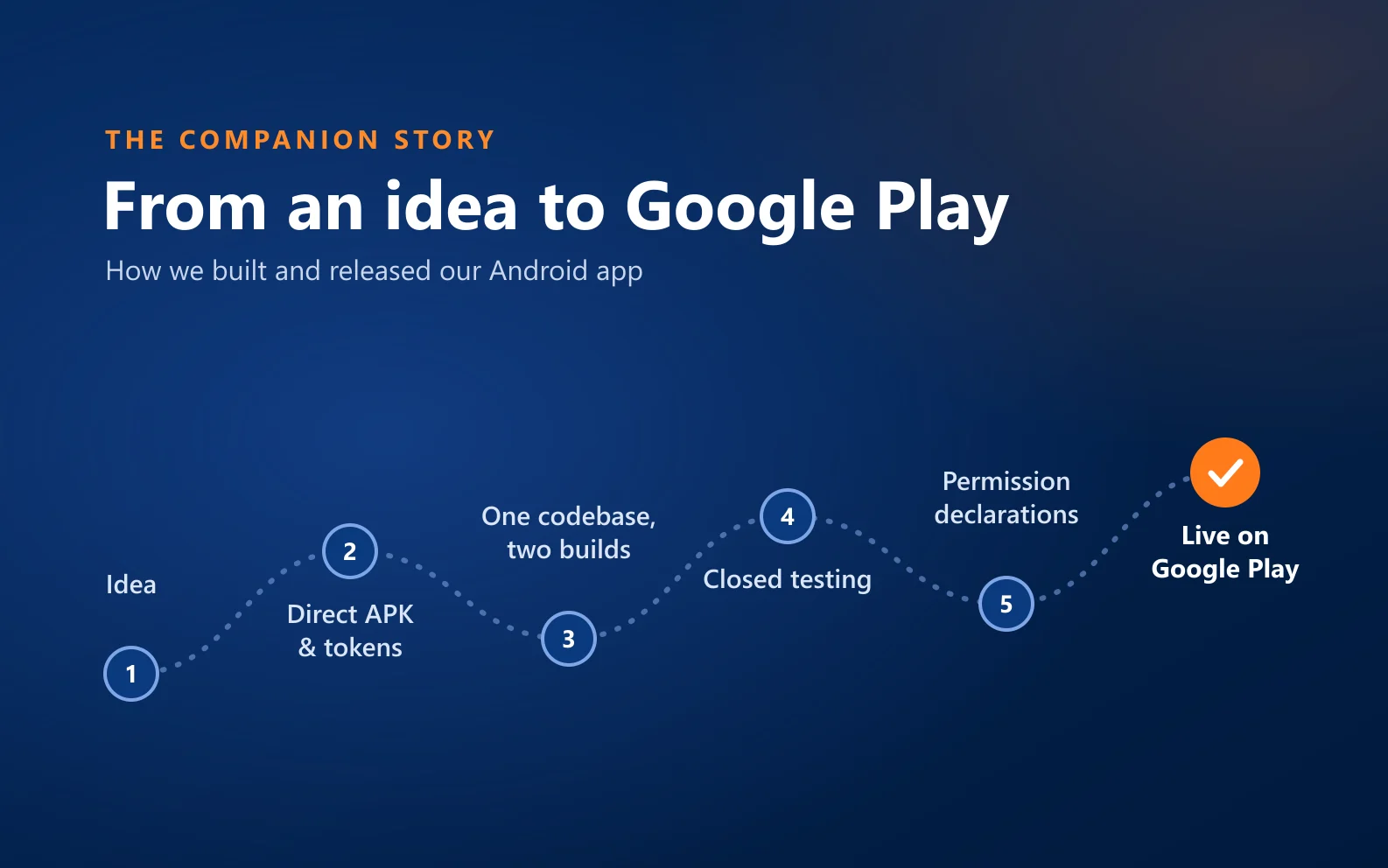
From an Idea to Google Play: The Story of Building and Releasing Companion
Companion was first distributed from our own website, then released on Google Play. This is the road, the decisions we made and where we got stuck.
 HaberFeatured
Companion is now on Google Play!
You can now get Companion straight from Google Play. On the store it is called I'M OK Companion; it starts free and works in 22 languages.
MakaleFeaturedWhat is Companion?
A personal safety app with more than twenty modules — but the real answer isn't technical: it's having someone notice when something goes wrong.