İçerik Yöneticisi logo

İçerik Yöneticisi

Digital Product Studio

Makale

What is Companion?

A personal safety app with more than twenty-seven modules — but the real answer isn't technical: it's having someone notice when something goes wrong.
Refakatçi Ekibi2 dk okuma
ShareXin
What is Companion?

Key Takeaways

  • Companion doesn't wait for you to do something; it notices when you don't.
  • The modules are grouped into three jobs: safety, order and connection.
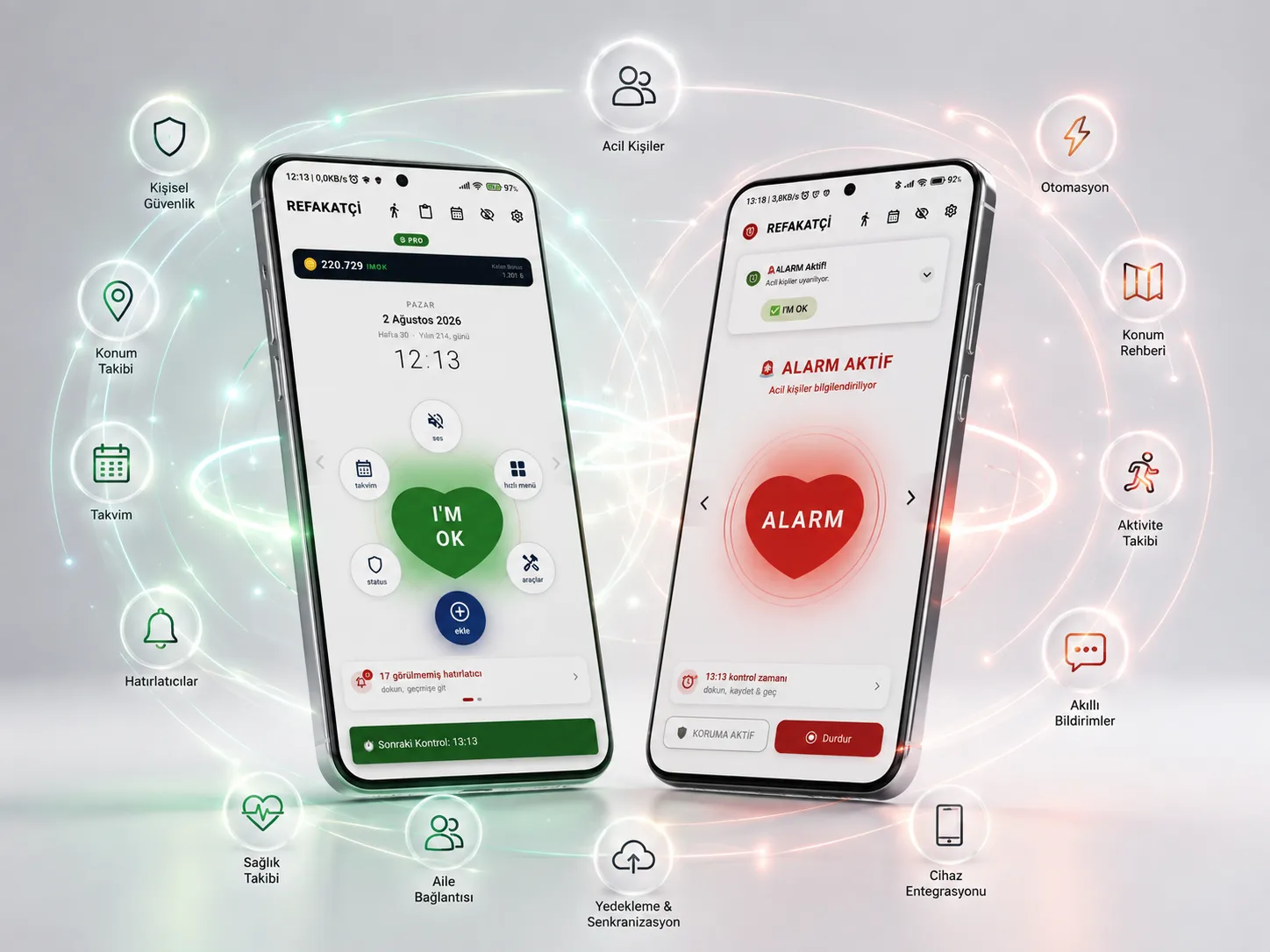
  • The command centre is the Companion Hub; the Center Heart shows the system phase by colour.
  • Pro access is sold as time-based tokens — it is not a subscription.

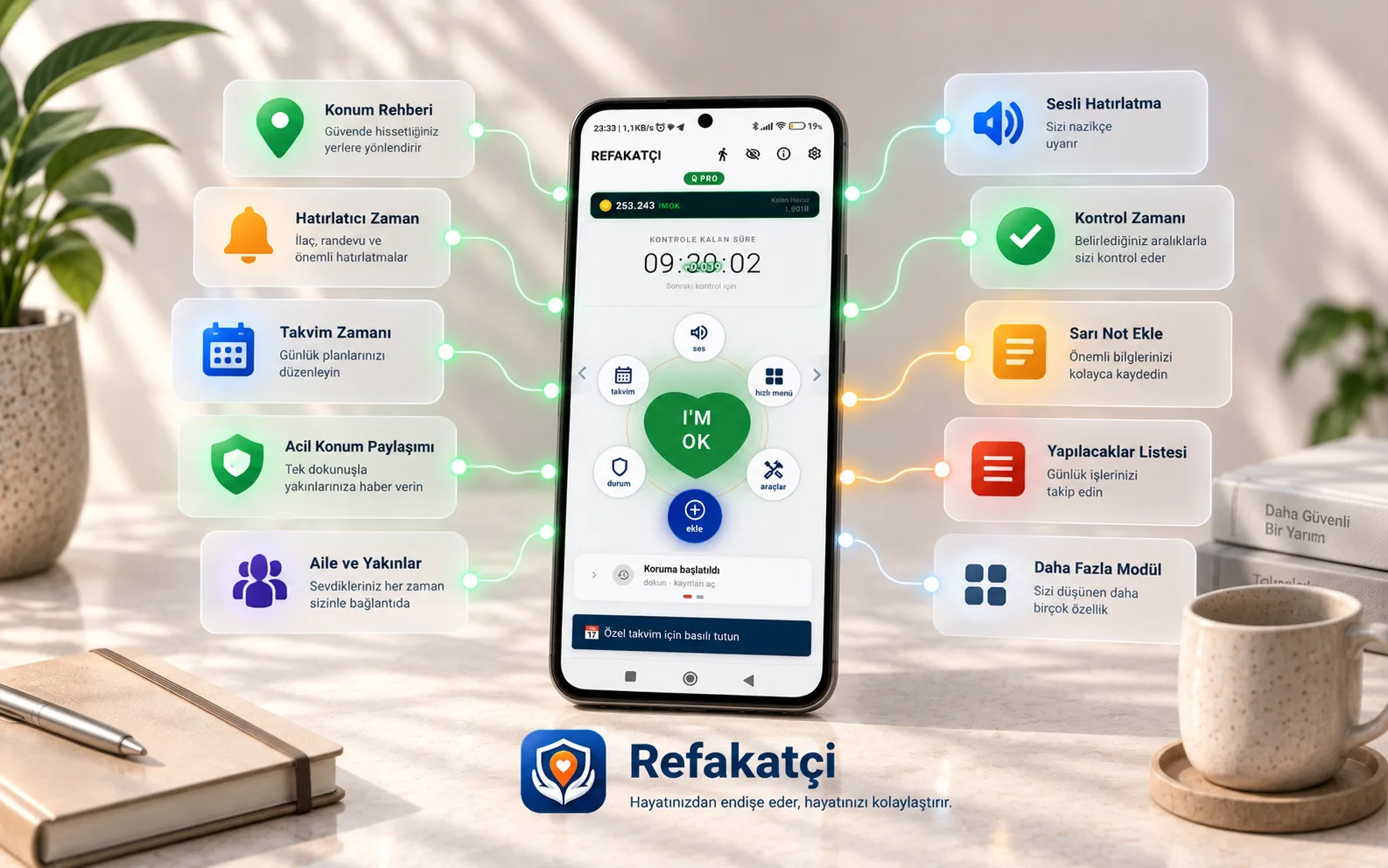
Companion is an Android app that makes personal safety and family coordination easier. It isn't a small tool with a single job; it is a life assistant made of more than twenty-seven modules that work together.

But the real answer isn't technical. To put Companion in one sentence: it is having someone notice when something goes wrong.

The real problem it solves

When someone living alone falls, faints or feels unwell, they often can't reach their phone. Expecting a person who can't ask for help to ask for help is the most common design flaw in safety systems.

Companion turns that assumption around. Instead of waiting for you to do something, it notices when you don't.

Check-in Time sends a silent confirmation at the time you set. If you confirm that you're fine, life carries on as normal. If there's no answer, your safety plan kicks in.

Three layers

The app's modules fall roughly into three jobs:

Safety

Check-in Time runs scheduled confirmations. Fall Detection uses the phone's sensors to detect possible falls. Immobility Detection notices long periods without movement. The Emergency Help System stays within reach at all times through the floating Heart button on top of your screen.

Order

Reminders handle daily tasks, Special Days date-based events, and Location Reminder the jobs tied to a place. Sticky Notes and the To-do List are the quick-capture layer.

Connection

Emergency & Reminder Contacts define who each alert the app produces goes to. The Special Day Calendar is the side that keeps relationships alive — remembrances, anniversaries, public and religious days.

The modules aren't independent

This is what sets Companion apart. When Check-in Time gets no answer, it reads the Emergency Contacts list. The Activity Log Center gathers events from every module into one timeline. The Templates Center sets the tone of voice for three modules at once. IMOK Coin rewards regular check-ins and completed reminders.

So the modules aren't a list — they're a system.

The Companion Hub

The command centre for all of this is the Companion Hub screen. The Center Heart in the middle shows the system phase by colour — grey, green, orange, red. At a glance you see your safety status, check in, send a silent SOS and jump to other modules through the orbital menu.

Free and Pro

The free version covers the core modules. When you move to Pro, every module unlocks. Pro access is sold as time-based tokens; it is not a subscription and there is no auto-renewal.

Where to start?

Install the app, complete the Setup Wizard to the end and start with a single Check-in Time. Once the system settles into your life, turn the other modules on one by one.

Frequently Asked Questions

No. Companion does not diagnose and does not take measurements. It is a safety and organization assistant.
The free version covers the core modules. When you move to Pro, every module unlocks.
The Android version is live today and distributed through our own site.

Refakatçi Ekibi

Ürün ve Destek

Refakatçi'yi geliştiren ekip. Modüllerin nasıl çalıştığını, hangi kararların neden alındığını ve uygulamayı günlük hayatta nasıl kuracağınızı buradan anlatıyoruz.